Who the program is for
This guide explains PliersLab LLC's optional, non-marketing program for business owners using PliersVoice and PliersChat. It covers requested phone verification codes and ongoing alerts about the owner's bookings, urgent requests, service status, account usage, and billing. It does not cover appointment texts or verification codes sent to a contractor's customers.
SMS is not required to purchase or use the service. Message frequency varies with service activity and account events. Message and data rates may apply. Read the owner SMS terms and SMS privacy policy.
1. Optional interest during signup
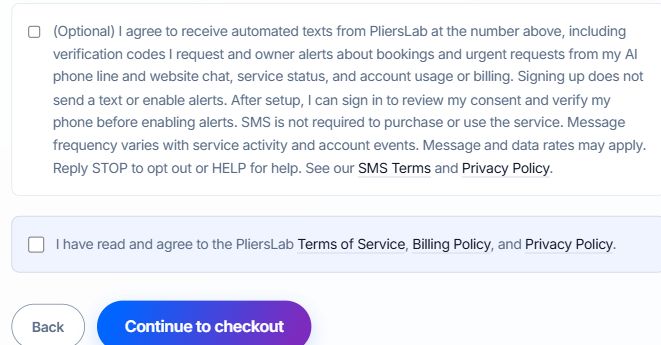
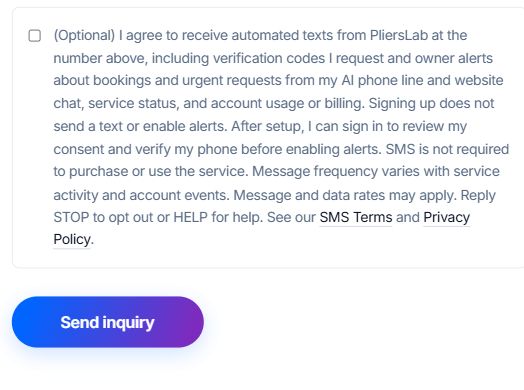
The self-signup flow (Your plan step) and assisted-signup inquiry form each offer an optional SMS checkbox, initially unchecked. It is separate from agreement to service terms. Checking it records interest; submitting either form does not send a text or activate owner alerts.
(Optional) I agree to receive automated texts from PliersLab at the number above, including verification codes I request and owner alerts about bookings and urgent requests from my AI phone line and website chat, service status, and account usage or billing. Signing up does not send a text or enable alerts. After setup, I can sign in to review my consent and verify my phone before enabling alerts. SMS is not required to purchase or use the service. Message frequency varies with service activity and account events. Message and data rates may apply. Reply STOP to opt out or HELP for help. See our SMS Terms and Privacy Policy.
2. Explicit consent before requesting a code
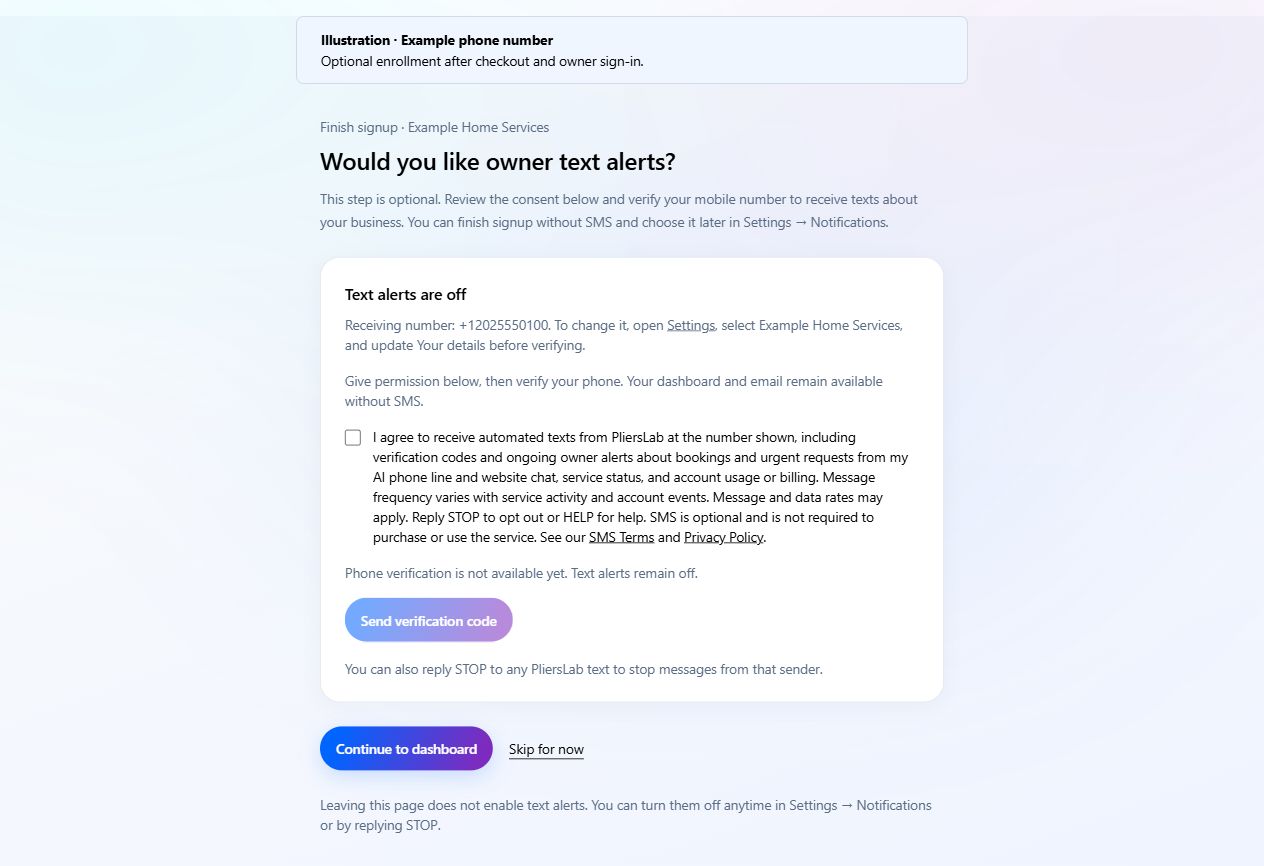
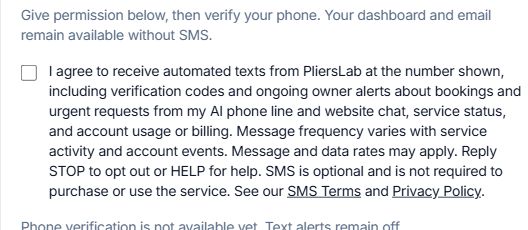
After checkout and business setup, the owner signs in and can choose optional text alerts while finishing signup. They can skip this step and enroll later in Settings > Notifications. Both places use the same consent and verification controls. Owners review the receiving number, check a separate initially unchecked consent box, and select Send verification code. Owners who skipped SMS during signup can use this same flow. The disclosure below is shown before requesting a code; the terms and privacy policy names are links. Welcome emails and email confirmation links do not provide phone proof or activate this program.
I agree to receive automated texts from PliersLab at the number shown, including verification codes and ongoing owner alerts about bookings and urgent requests from my AI phone line and website chat, service status, and account usage or billing. Message frequency varies with service activity and account events. Message and data rates may apply. Reply STOP to opt out or HELP for help. SMS is optional and is not required to purchase or use the service. See our SMS Terms and Privacy Policy.
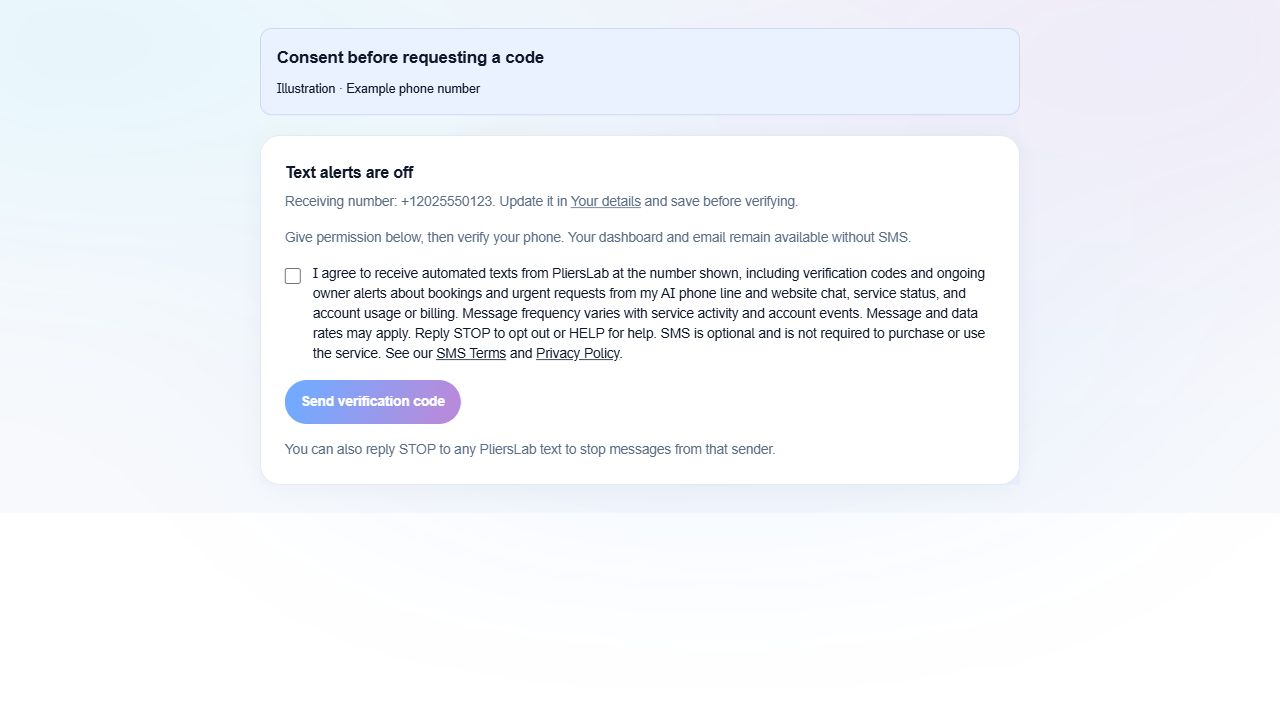
3. Phone proof before ongoing alerts
When sending becomes available, the requested six-digit code goes to the receiving mobile number, not an email address. The owner enters it and selects Verify & enable text alerts. A code expires after 10 minutes; guesses and resends are limited. Requesting a code alone leaves alerts off. The flow records consent before sending a code and requires a successful code check before ongoing alerts can start.
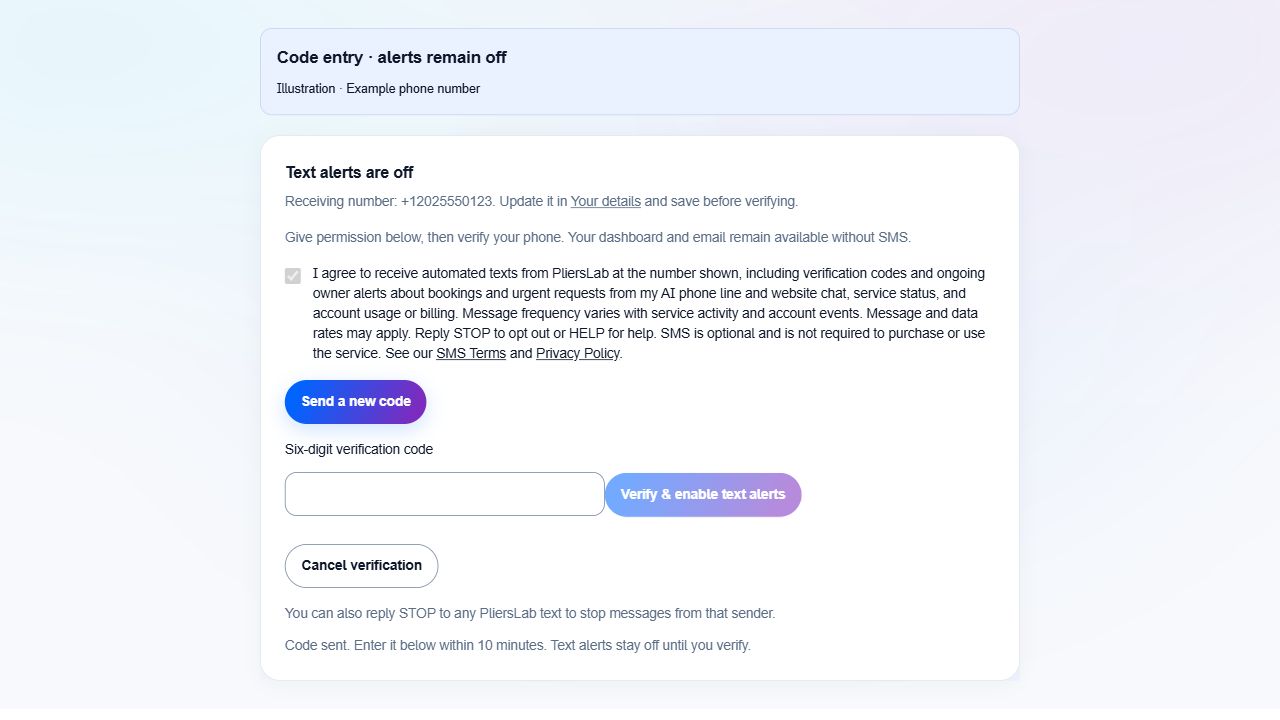
4. Turn off alerts or change the number
Once verified, Turn off text alerts is available in Settings > Notifications. It turns off that business's alerts without sending a text. Dashboard and email access remain available. Changing the receiving number requires new consent and phone verification.
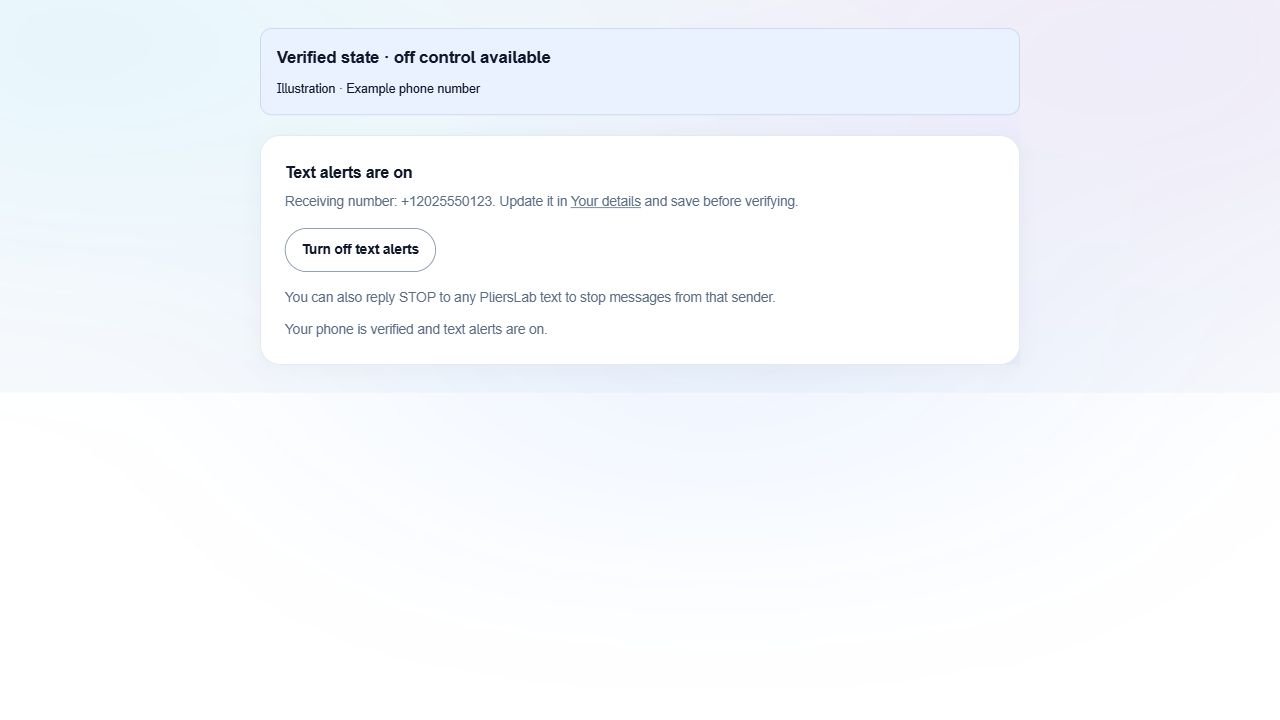
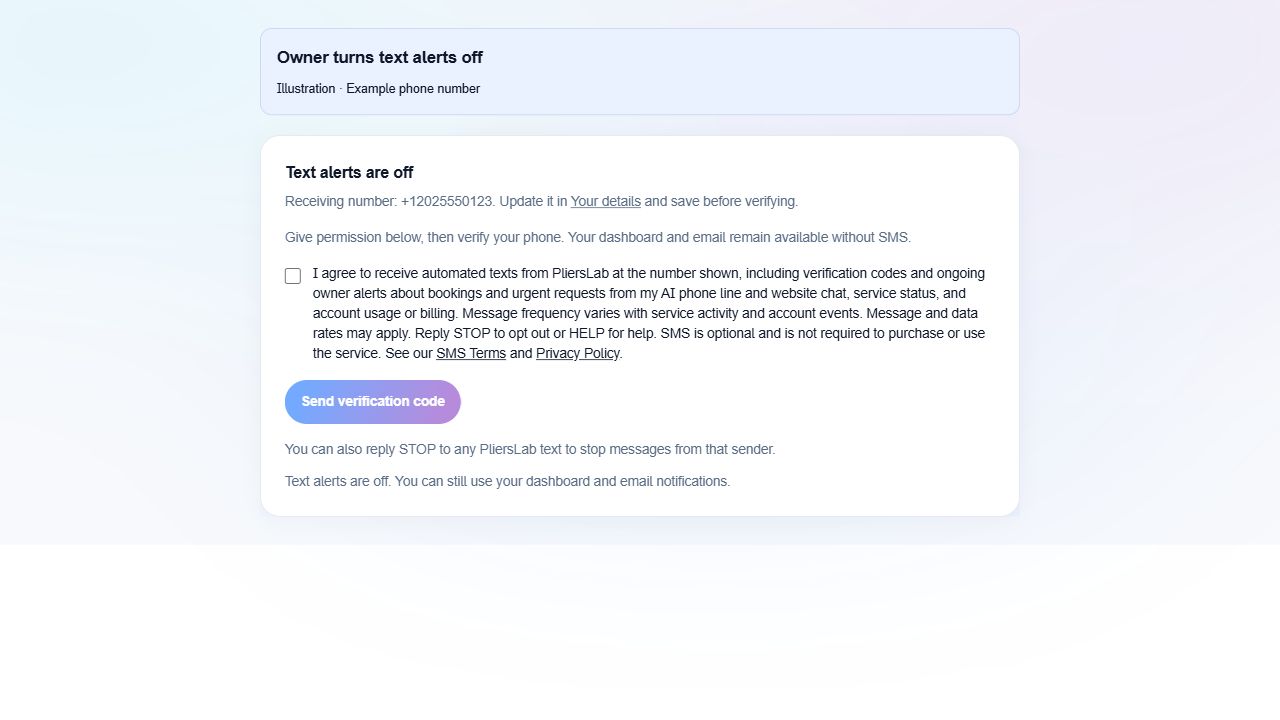
Reply STOP to stop messages from the sender. Reply HELP for help, or contact support@plierslab.com. Replying START only removes the messaging block; it does not enroll an owner or restore alerts. The owner must consent and verify again in Settings. No verbal consent, purchased lists, or keyword-only enrollment is used for this owner program.
Message examples
Examples of owner text messages are shown below. The verification code is an example.
Requested verification code
PliersLab: Your owner text-alert verification code is 123456. Expires in 10 minutes. Do not share this code. Reply STOP to opt out, HELP for help.
Enrollment confirmation
PliersLab: Owner text alerts are now on for bookings, urgent requests, service status, usage and billing. Message frequency varies. Message and data rates may apply. Reply STOP to opt out, HELP for help.
HELP response
PliersLab: requested phone verification codes and optional owner alerts about bookings, urgent requests, service status, usage and billing. Msg frequency varies. Msg & data rates may apply. Reply STOP to opt out. Help: support@plierslab.com
STOP confirmation
PliersLab: You are unsubscribed. No more messages will be sent from this number. Reply START to remove the block; owner alerts require consent and phone verification again in Settings.
START response
PliersLab: The messaging block is removed. This does not enable owner alerts. Sign in to Settings > Notifications to consent and verify your phone. Reply STOP to opt out. Msg & data rates may apply.
About these illustrations and your privacy
The illustrations use example phone numbers and show how the controls work. The full consent wording is also provided as text above. Viewing this guide does not give consent or enable optional text alerts.
Consent records for this program include the receiving number, account, disclosure text and version, time, request context, phone verification result, and revocation events. Mobile numbers and SMS consent data are not sold or shared with third parties or affiliates for marketing or promotional purposes. See the privacy policy for processing details.
The existing signup/email-link enrollment described in the legacy owner terms is a separate flow. Reading this guide does not change an existing owner's SMS preferences.